As Principal, I use all tools available to inspire staff, students and community to work together to promote student achievement and well-being. ... I enjoy celebrating successes and acknowledge hard work of staff, students and community and believe this is one of the contributors fundamental to a happy school environment
Advertisement
Showing posts with label Computer Science. Show all posts
Showing posts with label Computer Science. Show all posts
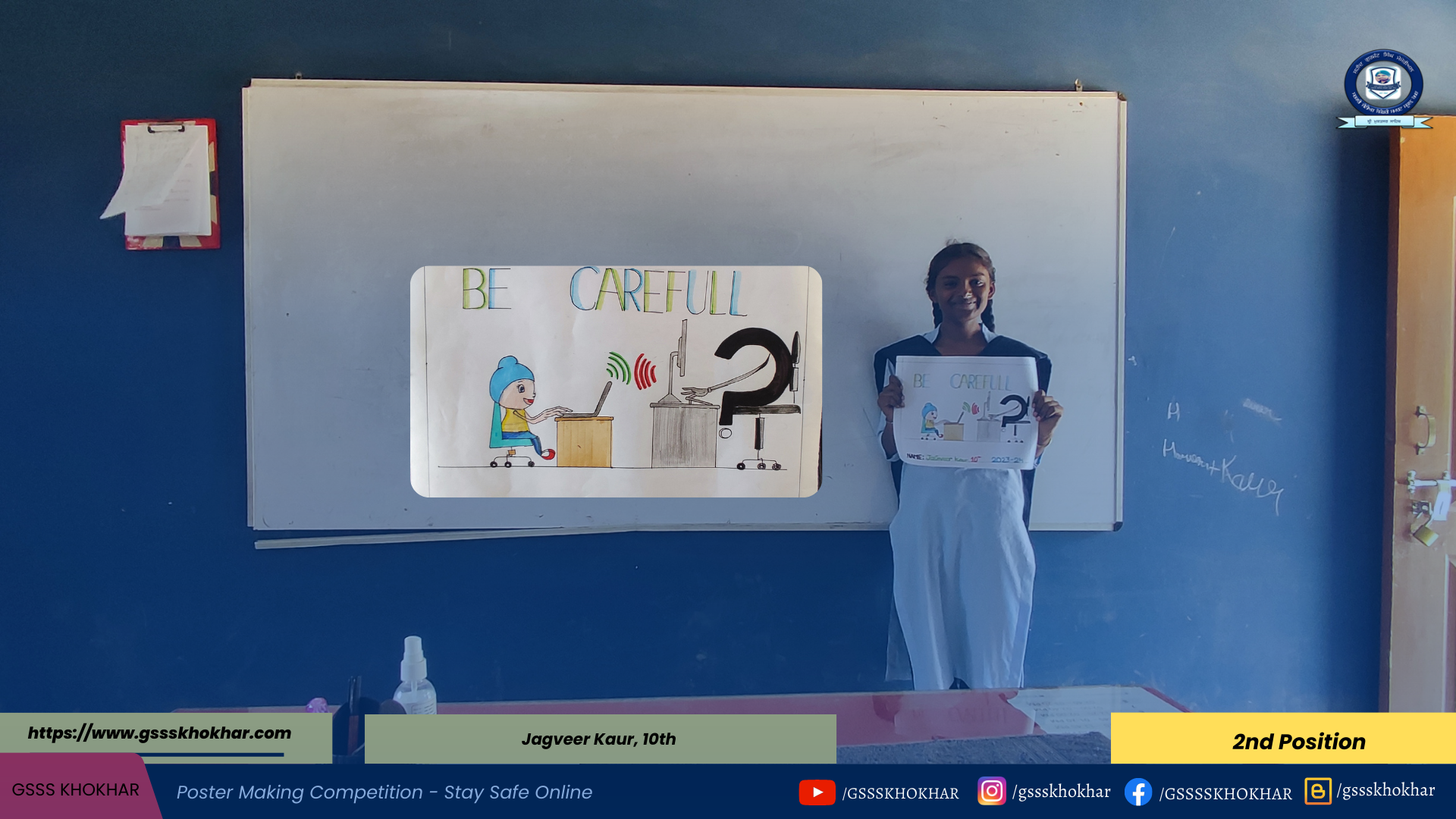
'State Safe Online' is a social media digital platform used globally to make its citizens safe online to make widespread and fast payments. The number of Internet users in India is growing rapidly, which presents several challenges.
It's a proud moment and an honour for me that this HTML Editor is being launched by Dr. Sunil Kumar, Head of Department, P.G. Department of Computer Science, Guru Nanak College, Sri Muktsar Sahib.
A topic identifier in a tweet or other social network message that is indexed by the service so that all the user postings with that hashtag can be searched and read. The hashtag is the name of the topic with a number sign (#) prefix, also called a hash mark.
Hashtags are created for anything and everything, including people, businesses, organizations, sports teams, political parties, hobbies, events and philosophies etc. For example, students may be interested in #education #learning #school #motivation #technology #inspiration #english #art etc.
Interesting Facts:
Hashtags can be used on just about any social media platform, but they're most popular on Twitter and Instagram. If you are using social media to market your brand, then you should use hashtags.
The lock screen is a security feature for a computer, smartphone, or tablet that helps prevent to secure from unauthorized access to the device. It is an interface that looks upon startup. When a device is locked, then the device's applications are limited for accessing. A locked device helps to save the device's data from unwanted users. If anyone tries to use a lock screen feature to protect the device, it needs a specific action or sequence of actions to be performed correctly. When a device is locked and entered the password to unlock the device, it is unlocked only with the correct password or biometrics*. The desktop, home screen, or app icons is displayed on the screen; if the device is unlocked, then the device can be used freely.
Interesting Facts:
*Automatic recognition of people based on their anatomical (e.g., face, fingerprint, iris, retina) and behavioral (e.g., signature, posture) individualities is called Biometrics
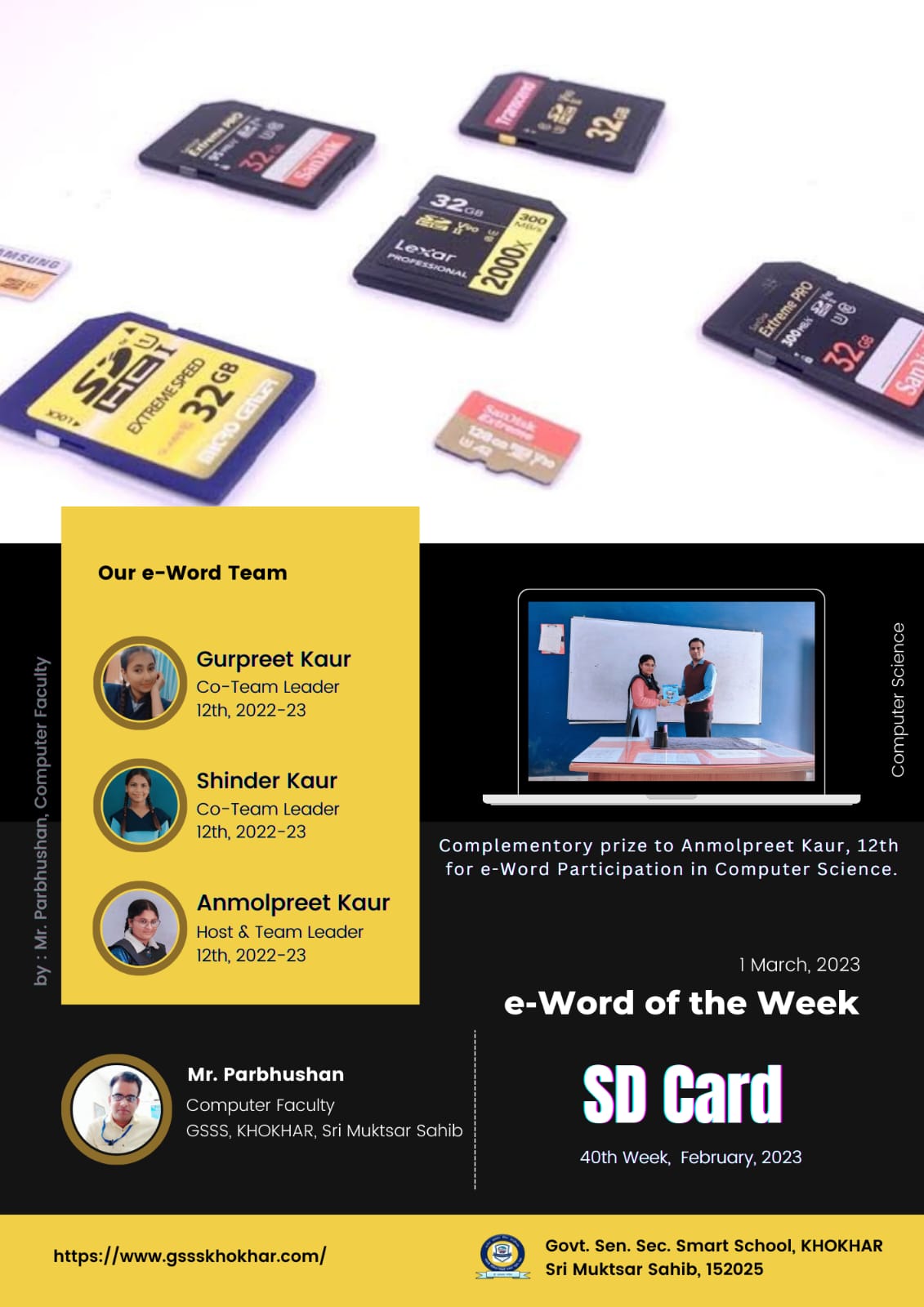
A Secure Digital (SD) card is a tiny flash memory card designed for high-capacity memory and various portable devices, such as car navigation systems, cellular phones, e-books, PDAs, smartphones, digital cameras, music players and personal computers.
Introduced in 1999 by Panasonic, Toshiba and SanDisk as the successor to the MultiMediaCard, the SD technology is managed by the SD Association (www.sdcard.org).
A Secure Digital card is about the size of a postage stamp and weighs approximately two grams. It is similar in size to an MMC*, but smaller than older memory card types, such as a SmartMedia card or CompactFlash card. An SD card features high data transfer rate and low battery consumption, which are both primary considerations for portable devices. An SD card uses flash memory to provide nonvolatile storage, which means a power source is not required to retain stored data.
Interesting Facts:
* MMC (Multi Media Card) is a flash memory card for cellphones, PDAs and other handheld devices. Introduced by the MultimediaCard Association in 1997 with 4MB of storage, capacity increased to 2GB in the mid-2000s. MMCs were replaced by SD cards, but SD readers support both formats.
There are currently four sub-types of secure digital card: SD, SDHC, SDXC and SDUC, while they are all commonly known as SD cards.
Complementory prize to Anmolpreet Kaur, 12th for e-Word Participation in Computer Science.




.png)
.png)
.png)
.png)
.png)
.png)
.png)
.png)
.png)
.png)
.png)
.png)
.png)
.png)
.png)
.png)


.jpeg)
.jpeg)